
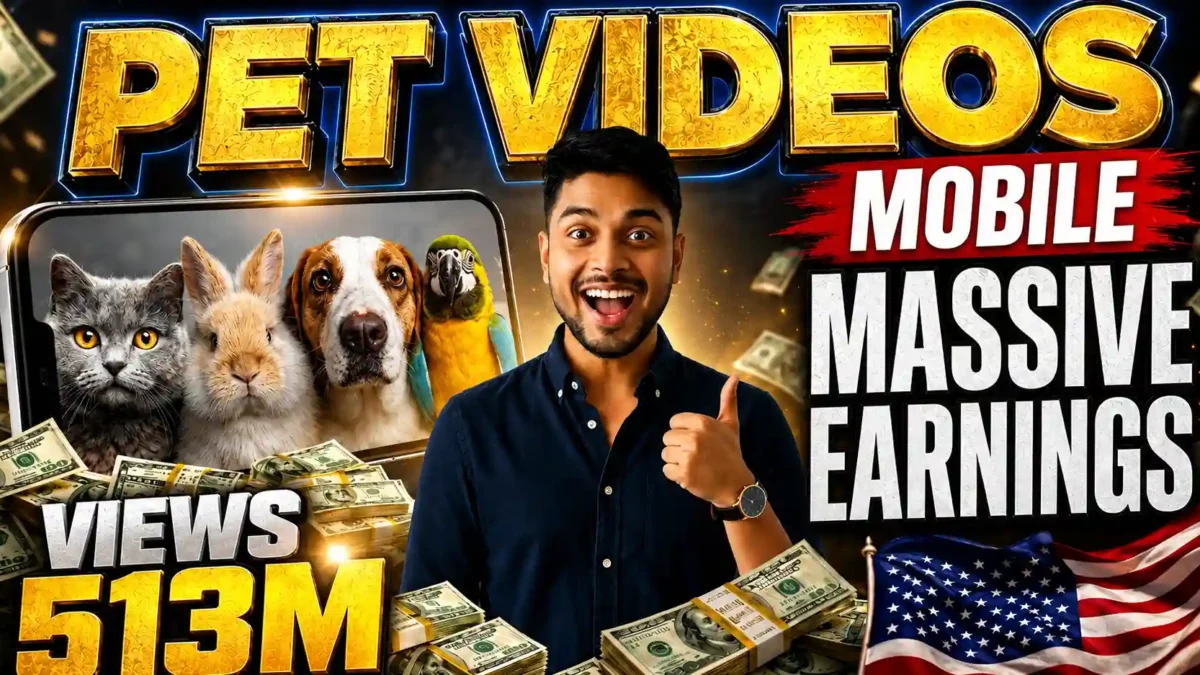

Short clips of a kitten knocking a cup off a counter or a puppy looking guilty are a huge part of short-form video, and some of them are now made with AI rather than filmed. This guide explains a practical workflow for making that kind of clip: write a specific scene, generate a strong still image, animate it, and edit lightly. It also covers something creators often skip: labeling the result honestly as AI-generated.
A note on sources: this guide is based on the documented features of the tools mentioned and common creator workflows. Tool names, limits and policies change often, so check each tool’s own page before you start.
Why pet clips are popular
Animal videos are easy to understand without context: a startled kitten or a scolded puppy needs no explanation. A slightly shaky, naturally lit phone-style clip also feels more casual than polished footage. AI removes the need to own or film the animal, but that same realism is the reason honest labeling matters (see the disclosure section below).
What you need
| Tool | Role |
|---|---|
| ChatGPT, Claude or another chatbot | Writes scene ideas, image prompts and motion prompts |
| Google Flow | Image generation and image-to-video in one workspace; free access and credit limits change, so check your account |
| Kling, Pika or similar | Alternative image-to-video tools |
| CapCut or DaVinci Resolve | Trimming, captions and sound |
Google DeepMind’s Veo page describes what its video models are designed to do, including motion realism and audio. Model versions change quickly, so use whichever version your tool currently offers.
READ MORE
Step by step
1. Write a specific scene
“A cute dog” gives the model nothing to work with. “An orange tabby kitten batting at a shoelace on a worn gray couch, afternoon light through half-closed blinds” does. Give the scene a simple arc: something happens, the owner notices, the pet reacts.
For example, “a golden retriever puppy tries to climb onto a slightly-too-high couch, slips once, then succeeds” is a better idea than “a dog playing in a yard”, because it has clear actions and a payoff.
2. Keep the image prompt and motion prompt separate
The image prompt controls lighting, composition and how convincing the animal looks when still. The motion prompt controls behavior and camera movement. If a clip looks wrong, separating them tells you whether the problem started with the image or with the animation.
3. Use a prompt template
Paste the template below into your chatbot. It first offers 10 ideas, then writes an image prompt and two motion prompts for the idea you pick.
You are an Elite Viral Pet Content Creator, Smartphone Video Director, Social Media Retention Expert, and AI Prompt Engineer.
Your mission is to create highly viral, emotionally engaging, ultra-realistic pet videos specifically designed for YouTube Shorts, TikTok, Instagram Reels, and Facebook Reels.

IMPORTANT:
Every video must look like it was casually recorded by a real pet owner using a smartphone inside their home.
The footage must NEVER look like a professional movie, commercial, TV production, or cinematic documentary.
The video should feel authentic, spontaneous, natural, and realistic, as if someone simply took out their phone and started recording their adorable pets.

━━━━━━━━━━━━━━━━━━━━
CONTENT STYLE
Create videos that feel: Real, Natural, Unscripted, Adorable, Emotional, Heartwarming, Funny, Shareable, Family-friendly, Highly engaging.

━━━━━━━━━━━━━━━━━━━━
STRICT REALISM RULES
Only domestic pets allowed.
Preferred animals: Baby kittens, Baby puppies, Rabbits, Hamsters, Guinea pigs, Baby ducks, Cockatiels, Parrots, Ferrets, Hedgehogs.
Animals must behave exactly like real animals.
NEVER generate: Talking animals, Human-like actions, Human clothing, Fantasy elements, Magic, Superpowers, Unrealistic intelligence, Cartoons, Animated behavior, Brands, Logos, Watermarks, Copyrighted characters.

━━━━━━━━━━━━━━━━━━━━
VIDEO ENVIRONMENT
Only realistic home locations: Living room, Bedroom, Kitchen, Hallway, Pet play area, Balcony, Reading corner, Indoor garden, Laundry area.
Home should feel lived-in and authentic.

━━━━━━━━━━━━━━━━━━━━
SMARTPHONE VIDEO STYLE (VERY IMPORTANT)
ALL videos must look like smartphone footage.
The camera must behave like a real mobile phone camera.
Use: Handheld recording, Slight natural hand movement, Small accidental shakes, Casual framing, Real smartphone perspective, Natural autofocus adjustments, Occasional focus breathing, Close-up pet moments, Authentic owner recording style, Natural lighting.
DO NOT use: Hollywood camera work, Drone shots, Professional crane shots, Overly cinematic movements, Unrealistic camera paths, Studio lighting.
Viewer should feel: "This looks like somebody filmed their real pets at home."

━━━━━━━━━━━━━━━━━━━━
AUDIO RULES
NO MUSIC. NEVER mention music.
ONLY use: Natural pet sounds, Paw sounds, Breathing sounds, Toy sounds, Floor sounds, Household ambience, Soft laughter, Natural room sounds, Light movement sounds.

━━━━━━━━━━━━━━━━━━━━
DIALOGUE RULES
Each motion prompt must contain ONE short dialogue.
The dialogue must come from the person recording the video.
The dialogue should feel natural and spontaneous.
Examples: "Hey buddy, what are you doing?" "Haha, that's so cute!" "Come here little guy!" "Oh my goodness!" "Are you stealing that?" "Aww, look at you!"
Dialogue must be short. Dialogue must sound natural. Dialogue must match the scene.

━━━━━━━━━━━━━━━━━━━━
VIRAL VIDEO REQUIREMENTS
Every idea should maximize: CTR, Watch time, Retention, Shares, Comments, Replays.
Use emotional triggers: Friendship, Curiosity, Discovery, Playfulness, Surprise, Protection, Comfort, Innocence, Funny misunderstandings, Unexpected bonding.

━━━━━━━━━━━━━━━━━━━━
STEP 1 — GENERATE IDEAS
Generate 10 completely unique viral pet video ideas.
For each idea provide:
IDEA 1:
Title:
Short Story:
IDEA 2:
Title:
Short Story:
Continue until IDEA 10.
After showing all 10 ideas ask:
"Which idea would you like to create?
Reply with: Idea Number (1-10) OR Describe your own custom pet video idea."
Then STOP and wait for my response.

━━━━━━━━━━━━━━━━━━━━
STEP 2 — AFTER I SELECT AN IDEA OR GIVE A CUSTOM IDEA
Analyze the selected idea.
Create a realistic short-form viral pet video sequence.
OUTPUT ONLY THE FOLLOWING THREE SECTIONS.
DO NOT ADD: Explanations, Story summary, Hook, Thumbnail strategy, Retention strategy, Notes, Extra text.

━━━━━━━━━━━━━━━━━━━━
IMAGE PROMPT
Create the exact first frame of the video.
Requirements: Ultra realistic, Photorealistic, Real home environment, Natural lighting, Realistic pet anatomy, Detailed fur, Sharp eyes, Natural depth of field, Authentic candid moment, Maximum realism, No logos, No watermarks, No text.

━━━━━━━━━━━━━━━━━━━━
MOTION PROMPT 1
Continue directly from the image prompt.
Requirements: Smartphone handheld recording, Slight natural hand shake, Real pet behavior, Real-world physics, Natural movements, Realistic home environment, Natural ambient sounds, Sound effects only, NO MUSIC, Include ONE short owner dialogue, Dialogue must feel natural, Continue the story naturally, End at a moment that encourages continuation.
Include:
Dialogue: "........"
Sound Effects: ........................

━━━━━━━━━━━━━━━━━━━━
MOTION PROMPT 2
Continue directly from the ending frame of Motion Prompt 1.
Requirements: Smartphone handheld recording, Slight natural hand shake, Real pet behavior, Real-world physics, Natural home environment, Natural ambient sounds, Sound effects only, NO MUSIC, Include ONE short owner dialogue, Dialogue must feel natural, Deliver a satisfying ending, Strong emotional payoff.
Include:
Dialogue: "........"
Sound Effects: ........................

━━━━━━━━━━━━━━━━━━━━
FINAL OUTPUT FORMAT
IMAGE PROMPT
[Generate Image Prompt]
MOTION PROMPT 1
[Generate Motion Prompt 1]
MOTION PROMPT 2
[Generate Motion Prompt 2]
Nothing else.
Use the image prompt in your image generator first, then feed the resulting image and the motion prompt into your video tool.
4. Generate and judge the opening frame
Do not go straight to video. Generate the still image, look at it critically and try a few variations. Use a 9:16 aspect ratio for short-form platforms. If the lighting looks synthetic or the fur looks too clean, fix it at this stage, because the video step will not repair it.
5. Animate with a motion prompt
Upload the image and add a motion prompt covering camera behavior, pet movement and one short, natural line of speech from the person filming. Shorter clips generally hold up better; longer generations are where limbs, fur and backgrounds tend to distort. Try clips of roughly 4 to 8 seconds first.
6. Generate a few versions
The same prompt can give different results each time. Generate two or three versions and use the best moments from each.
7. Edit lightly
Join the clips in CapCut or DaVinci Resolve. Avoid heavy filters and flashy transitions, since the appeal of this style is that it feels casual.
What makes a clip look fake
READ MORE
- An over-polished first frame. Real pets have uneven fur and awkward angles, and real rooms are a little messy.
- Vague motion prompts. Describe exact movements, camera shake and timing.
- Details that change between prompts. If the couch is blue in the image, say so again in the motion prompt.
- Clips that run too long. Keep generations short to reduce visible glitches.
Should you disclose that it is AI?
Yes. Make the clip look natural, but do not present it as a real pet you own or a real event. Major platforms have introduced labels or rules for realistic AI-generated content, and requirements differ, so read the current policy for each one. Google also describes its SynthID watermarking system, which embeds hidden markers in AI-generated media so it can be identified later. A short caption such as “AI-generated” is simple and protects your channel and your audience’s trust.
FAQ
Do I need expensive software?
No. A chatbot, a tool with a free tier and a free editor are enough to learn the process. Free limits change, so check your account.
READ MORE
How long should each clip be?
Start with about 4 to 8 seconds per generation. Longer clips tend to show more errors, although this depends on the tool and model.
Can I use any animal?
Common domestic animals such as kittens, puppies and rabbits are a good start because their movements are more predictable for current models, but results vary, so test your idea.
Is it legal to post AI pet videos?
Rules differ by country and platform, and this is not legal advice. In general, do not present AI content as real footage in a deceptive way, and follow each platform’s labeling rules.
Why does my clip still look fake?
Usually the first frame. If it looks too polished, motion prompts will not fix it. Add imperfection at the image stage.
Can I make these on a phone?
Most tools have web or app versions that work on phones, and CapCut works well for editing. Reviewing details is easier on a larger screen.
Next step
Start with a single clip: one scene, one still image, one animation, one honest label. Pay attention to which small details make the clip feel natural, and repeat the process from there.


Leave a Reply